
Download Nozbe Tasks Projects Team – Free Project Management, Team Collaboration, Secure Cloud Sync
Overview
Nozbe Tasks Projects Team is a free, cross‑platform app designed to simplify project management and team collaboration. Whether you are juggling personal to‑dos or coordinating a multi‑department initiative, Nozbe offers a clean interface that blends task lists, project boards, and real‑time sharing. The software integrates seamlessly with popular cloud services such as Google Drive, Dropbox, and Evernote, allowing every team member to access the latest documents, files, and notes from any device.
Because it is built with security in mind, all data is encrypted during transfer and stored on trusted servers, giving users confidence that their information remains private. The app is available for Windows, macOS, Android, and iOS, making it a truly universal solution for teams that need to stay in sync across desktops, laptops, tablets, and smartphones. While the core features are free, advanced capabilities—like custom workflows, priority tagging, and premium support—require a paid subscription, which is clearly outlined in the pricing model.
Overall, Nozbe strikes a balance between simplicity for casual users and depth for power users, positioning itself as a solid alternative to more complex tools like Asana or Monday.com.
Key Features That Drive Team Productivity
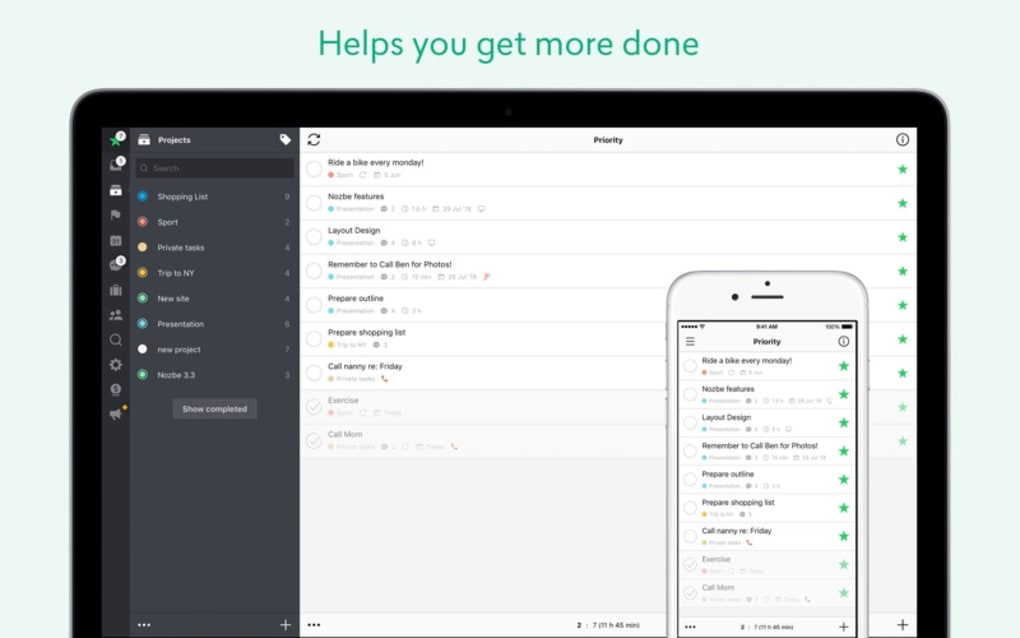
- Task & Project Boards: Create unlimited tasks, assign them to projects, and visualize progress with Kanban‑style boards.
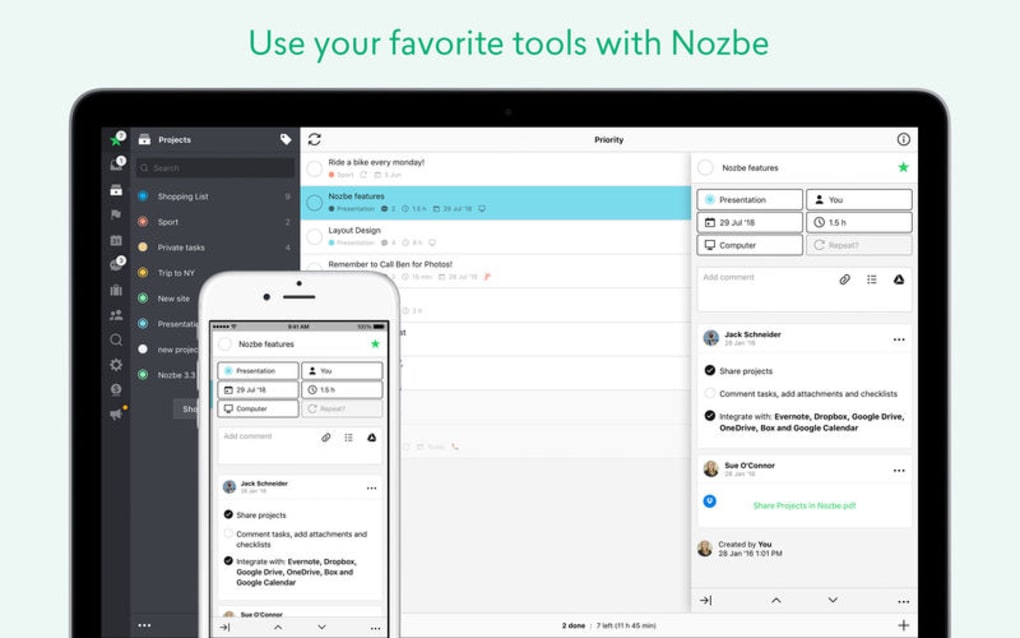
- Cloud Sync with Google Drive, Dropbox & Evernote: Attach files directly from your favorite cloud storage, ensuring every collaborator sees the most recent version.
- Multi‑Platform Support: Native apps for Windows, macOS, Android, and iOS guarantee a consistent experience on any device.
- Team Collaboration Tools: Comment on tasks, tag teammates, and receive real‑time notifications to keep communication fluid.
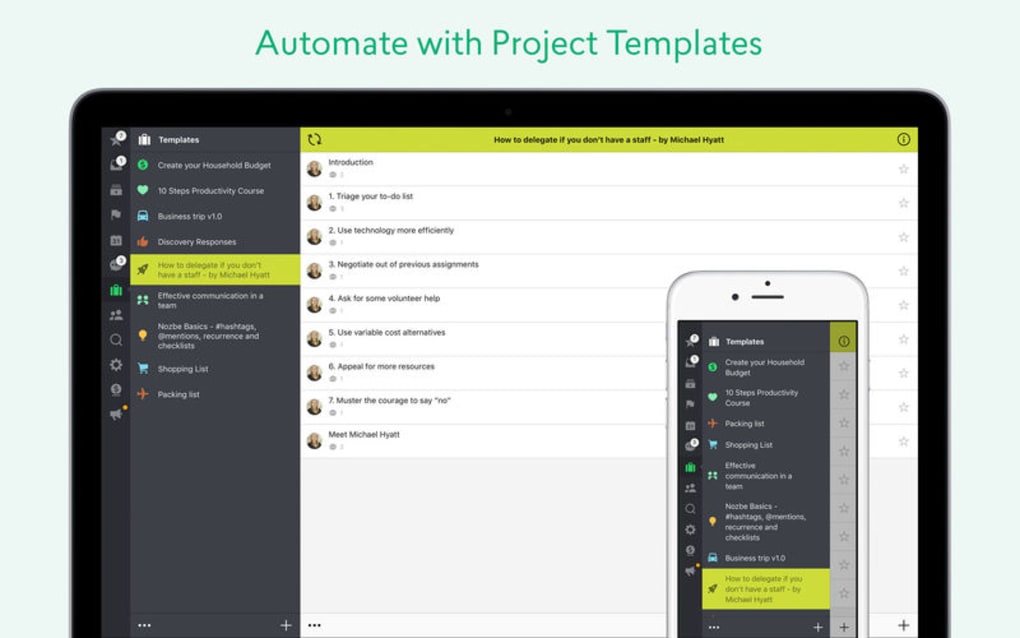
- Recurring Tasks & Templates: Automate routine work by setting up repeatable tasks and reusable project templates.
- Offline Access: Work without an internet connection; changes sync automatically when you go online.
- Secure Data Handling: End‑to‑end encryption protects your data during upload and storage.
- Integrations & Automation: Connect Nozbe with Zapier, IFTTT, and other services to trigger actions across your workflow.
- Custom Labels & Priorities: Color‑code tasks and assign priority levels for quick visual scanning.
- Free Core Version: Access essential task management features without paying a cent.
Each of these capabilities is designed to reduce the friction that often hampers collaborative projects. For example, the direct integration with Google Drive means you no longer need to email attachments back and forth; instead, you can attach a Drive file to a task, and every teammate sees it instantly. The Kanban boards provide a visual snapshot of work in progress, allowing managers to spot bottlenecks before they become problems. Even the offline mode ensures that field workers or remote employees can continue logging work without waiting for a stable internet connection. Together, these features form a comprehensive toolbox that empowers teams of all sizes to plan, execute, and deliver with confidence.
Installation, Usage & Compatibility Guide
Getting started with Nozbe is straightforward, whether you prefer downloading the desktop client or installing the mobile app. Follow the steps below to ensure a smooth setup:
Desktop Installation (Windows & macOS)
- Visit the official Nozbe website and click the Download for Windows or Download for macOS button.
- The installer file (EXE for Windows, DMG for macOS) will begin downloading automatically.
- Run the installer and follow the on‑screen prompts: accept the license agreement, choose an installation folder, and click “Install.”
- Once installation completes, launch Nozbe and create a new account using your email address, or sign in with Google or Apple ID for single‑sign‑on convenience.
- After logging in, you’ll be guided through an onboarding wizard that helps you set up your first project, add teammates, and connect cloud services.
Mobile Installation (Android & iOS)
- Open Google Play Store (Android) or App Store (iOS) and search for “Nozbe Tasks Projects Team.”
- Tap “Install” (Android) or “Get” (iOS) and wait for the app to download.
- Launch the app, sign in with the same credentials you used on the desktop, and grant the requested permissions for notifications and file access.
- Enable synchronization with Google Drive, Dropbox, or Evernote by navigating to Settings → Integrations and authorizing each service.
Usage Tips for Maximum Efficiency
- Keyboard Shortcuts: On Windows/macOS, press Ctrl + N (or ⌘ + N on macOS) to quickly create a new task.
- Batch Assignment: Select multiple tasks, right‑click, and assign them to a teammate or move them to a project in one action.
- Smart Filters: Use the built‑in filter bar to view tasks by due date, priority, or label, helping you focus on what matters most.
Nozbe is compatible with Windows 10/11, macOS 10.15+ (Catalina and later), Android 6.0+, and iOS 13+. The web version also works in modern browsers like Chrome, Firefox, Safari, and Edge, providing a fallback when you cannot install the native client.
Because Nozbe stores data in the cloud, any changes you make on one device are reflected across all others in real time. This cross‑platform consistency eliminates version conflicts and ensures that every team member sees the most current information, whether they are working from a laptop in the office or a smartphone on the go.
Pros, Cons & Final Verdict
Pros
- Free core version with robust task‑management features.
- Seamless integration with Google Drive, Dropbox, and Evernote.
- Native apps for Windows, macOS, Android, and iOS ensure a consistent experience.
- Offline mode allows uninterrupted work in low‑connectivity environments.
- Strong security with end‑to‑end encryption.
Cons
- Advanced workflow automation and custom fields are locked behind a paid plan.
- Reporting and analytics are limited in the free tier.
- Occasional sync delays when handling very large file attachments.
- Learning curve for teams new to Kanban‑style boards.
Overall, Nozbe Tasks Projects Team delivers a well‑rounded set of tools for small to medium‑sized teams that need a reliable, cloud‑first project management solution. The free version is generous enough to cover everyday collaboration, while the premium tier adds depth for organizations that require detailed reporting and custom automation. If you value cross‑platform accessibility, secure data handling, and native integrations with the cloud services you already use, Nozbe is a compelling choice that can grow alongside your team.
Ready to boost your team’s productivity? Download Nozbe now and start managing tasks, projects, and collaboration in a single, secure workspace. Experience the free version today, and upgrade later if you need the extra power of premium features.
Frequently Asked Questions
Is Nozbe really free or are there hidden costs?
The core task‑management and collaboration features are completely free. Nozbe only charges for premium add‑ons such as advanced workflow automation, custom fields, and priority support. All pricing is transparent on the website, with no hidden fees.
Can I use Nozbe without an internet connection?
Yes. Nozbe offers offline access on desktop and mobile apps. Any changes you make while offline are stored locally and automatically synced to the cloud once you regain an internet connection.
How secure is my data in Nozbe?
Data is encrypted in transit using TLS 1.2+ and at rest on Nozbe’s servers. The platform complies with GDPR and other international privacy standards, ensuring that your information remains confidential.
Which cloud services can I integrate with Nozbe?
Nozbe integrates natively with Google Drive, Dropbox, and Evernote. Additionally, you can connect to hundreds of other services through Zapier or IFTTT for custom automation.
Is there a limit on the number of users or projects?
The free tier allows unlimited users and projects, making it suitable for growing teams. Premium plans provide additional administrative controls and higher storage quotas.
Nozbe stands out for its clean interface, reliable cross‑platform sync, and robust free feature set. While power users may miss some advanced reporting tools without upgrading, the overall value makes it a top contender in the free project‑management space.







